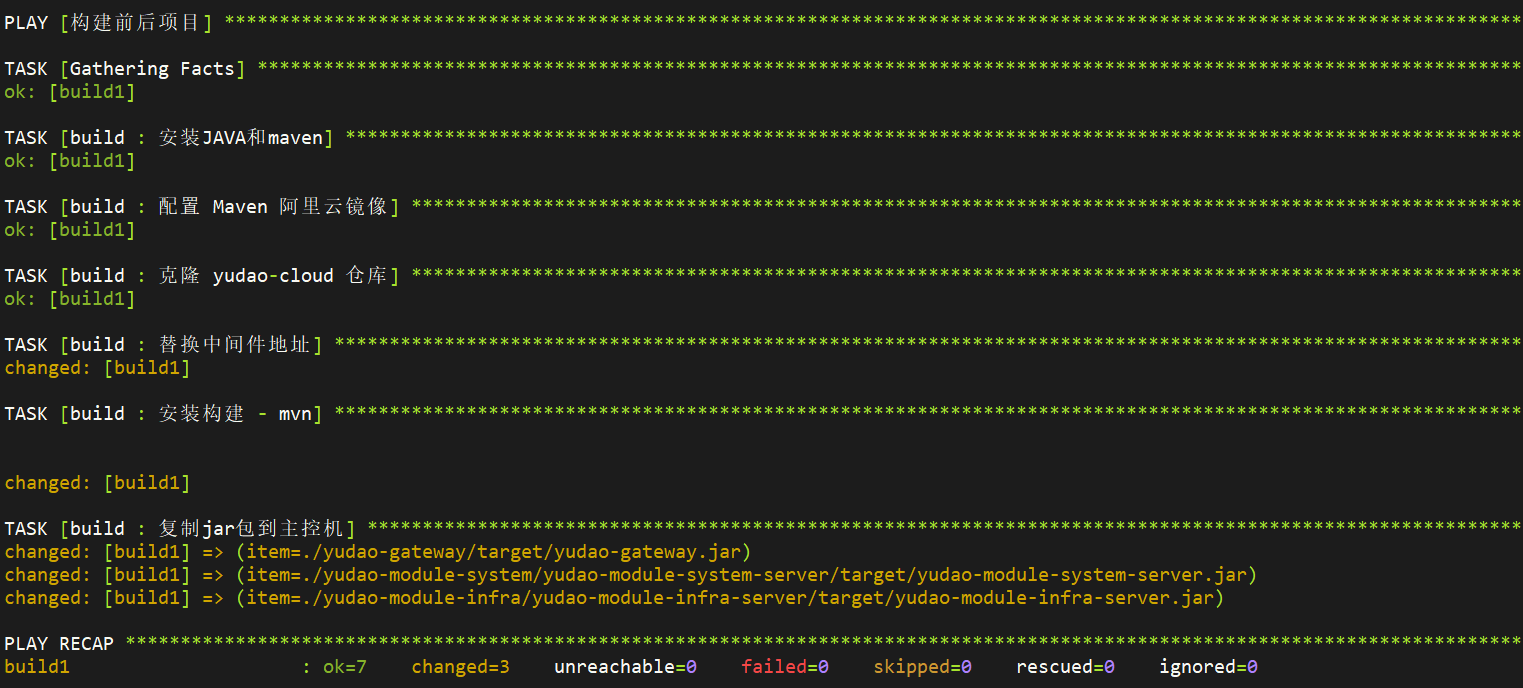
使用role完成后端项目构建,使用最新的tag,可参考以下步骤
1. 使用git模块克隆代码仓库,使用最新tag v2.6.0)
- name: 克隆 yudao-cloud 仓库
  git:
    repo: https://gitee.com/zhijiantianya/yudao-cloud.git
    dest: /opt/yudao-cloud
    version: v2.6.0(jdk17/21)
2. 配置java环境
- name: 安装JAVA和maven
  apt:
    name:
      - openjdk-21-jdk
      - maven
    state: present
3. 配置maven国内源
- name: 配置 Maven 阿里云镜像
  blockinfile:
    path: /etc/maven/settings.xml
    marker: "<!-- {mark} ANSIBLE MANAGED MIRROR BLOCK -->"
    insertafter: "<mirrors>"
    block: |
      <mirror>
        <id>aliyunmaven</id>
        <mirrorOf>central</mirrorOf>
        <name>aliyun maven</name>
        <url>https://maven.aliyun.com/repository/public</url>
      </mirror>
  become: yes
4. 替换各个中间件地址。
- name: 替换中间件地址
  shell: |
    find ./ -name application-local.yaml -print0 | xargs -0 sed -i 's|jdbc:mysql://192.168.75.131:3306|jdbc:mysql://{{ hostvars['db1'].ansible_host }}:3306|g'
    find ./ -name application-local.yaml -print0 | xargs -0 sed -i 's|host: 192.168.75.131 # 地址|host: {{ hostvars['db1'].ansible_host }} # 地址|g'
    find ./ -name application-local.yaml -print0 | xargs -0 sed -i 's|server-addr: 192.168.75.131:8848|server-addr: {{ hostvars['db1'].ansible_host }}|g'
  args:
    chdir: /opt/yudao-cloud
5. 构建项目,并将产物发送到Ansible主控机。
- name: 安装构建 - mvn
  shell: mvn clean package -Dmaven.test.skip=true
  args:
    chdir: /opt/yudao-cloud
    executable: /bin/bash
- name: 复制jar包到主控机
  ansible.builtin.fetch:
    src: "/opt/yudao-cloud/{{ item }}"
    dest: ../roles/server/files/
    flat: yes
  loop:
    - ./yudao-gateway/target/yudao-gateway.jar
    - ./yudao-module-system/yudao-module-system-server/target/yudao-module-system-server.jar
    - ./yudao-module-infra/yudao-module-infra-server/target/yudao-module-infra-server.jar